
CloudBacko Lite for Windows4.1.0.3 - Download
You'll be able to download in few seconds.
Publisher Description
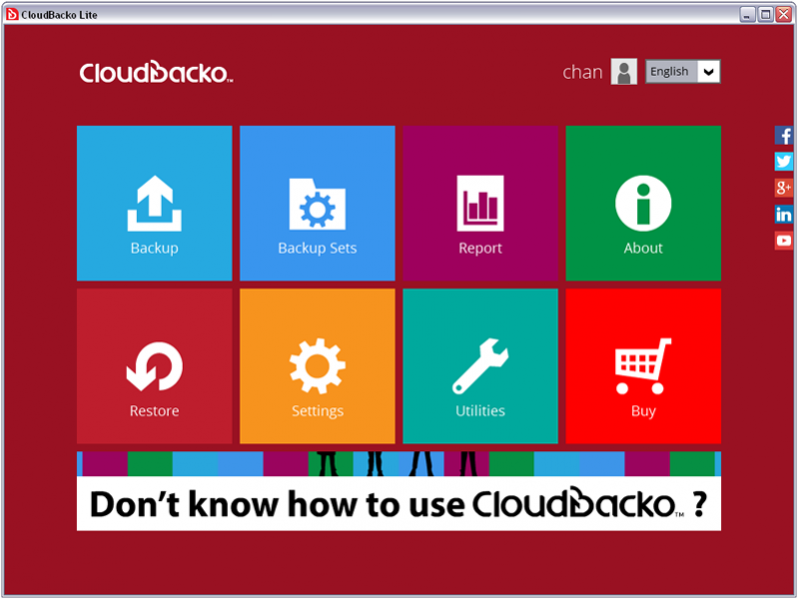
CloudBackup Lit is an easy to use cloud and local backup software designed for backing up PC, Mac, Office 365 and public cloud data to Wasabi, Backblaze B2, Google Cloud, Azure, Rackspace, Google Drive, OneDrive, Dropbox, FTP/SFTP, and local drives
It equips with comprehensive features that maximize backup and recovery speed, ensure data security, provide great flexibility in backup automation, keep backed up for as long as you need, support backup to unlimited destinations, etc.
It is the only backup solution that can encrypt everything with a 256-bit truly randomized key, including all the data and file/folder names. No one, not even NSA, is able to read your data.
It comes with the most intuitive user interface that is so easy to use. No training will be required to get started. Selecting backup sources, managing destinations, scheduling automatic backups, monitoring the health of your backups, and restoring data, all can be done effortlessly. Whenever you need assistance, the Help button on each page provides you with the answer right away.
Once configured, CloudBacko Lite will quietly and transparently performing backup in the background continuously. When your computer is busy with high CPU usage or network traffic, backup will automatically be paused so as not to affect the computer's performance.
With our backup data integrity ensuring technology, restore drill test can be frequently run in the background to ensure the restorability of your backed up data.
Once purchased, you'll get automatic software update whenever it is available for free.
About CloudBacko Lite for Windows
This Backup & Restore program is available in English, Chinese, ChineseSimplified, ChineseTraditional. It was last updated on 29 September, 2026. CloudBacko Lite for Windows is compatible with the following operating systems: Windows, Windows-mobile.
The company that develops CloudBacko Lite for Windows is CloudBacko Corporation. The latest version released by its developer is 4.1.0.3.
The download we have available for CloudBacko Lite for Windows has a file size of 286.3 MB. Just click the green Download button above to start the downloading process. The program is listed on our website since 2020-04-06 and was downloaded 0 times. We have already checked if the download link is safe, however for your own protection we recommend that you scan the downloaded software with your antivirus. Your antivirus may detect the CloudBacko Lite for Windows as malware if the download link is broken.
How to install CloudBacko Lite for Windows on your Windows device:
- Click on the Download button on our website. This will start the download from the website of the developer.
- Once the CloudBacko Lite for Windows is downloaded click on it to start the setup process (assuming you are on a desktop computer).
- When the installation is finished you should be able to see and run the program.
Program Details
General
System requirements
Download information
Pricing
Version History
version 4.1.0.3
posted on 2020-04-06
1). Support Office 365 SharePoint, Outlook and OneDrive backup
2). Support Wasabi and Backblaze B2 as cloud backup destinations
3). Support Mac OS X 10.14 Mojave
version 3.7.0.0
posted on 2018-02-18
1). New Code Signing Certificate
2). Improved Office 365 Exchange Online listing and backup performance
3). Support Azure Germany / Government cloud storage
4). Support new Amazon S3 Regions - EU (Paris)
version 2.1.0.0
posted on 2016-02-19
1). Support Amazon S3 "Standard", "Standard_IA (IA)", and "Reduced Redundancy (RRS)" storage classes
2). Enhancement - Support Google Cloud Storage "Standard Storage", "Durable Reduced Availability (DRA)", and "Cloud Storage Nearline" storage classes
version 1.7.0.0
posted on 2014-11-18
1). Support OpenStack as backup destination
2). Support Racksapce Cloud Files as backup destination
3). Support of proxy for Windows OneDrive
Disclaimer
External Download
We do not host CloudBacko Lite for Windows on our servers. We did not scan it for viruses, adware, spyware or other type of malware. This app is hosted by the software publisher and passed their terms and conditions to be listed there. We recommend caution when installing it.
The external download link for CloudBacko Lite for Windows is provided to you by apps112.com without any warranties, representations or guarantees of any kind, so access it at your own risk.
If you have questions regarding this particular app contact the publisher directly. For questions about the functionalities of apps112.com contact us.
